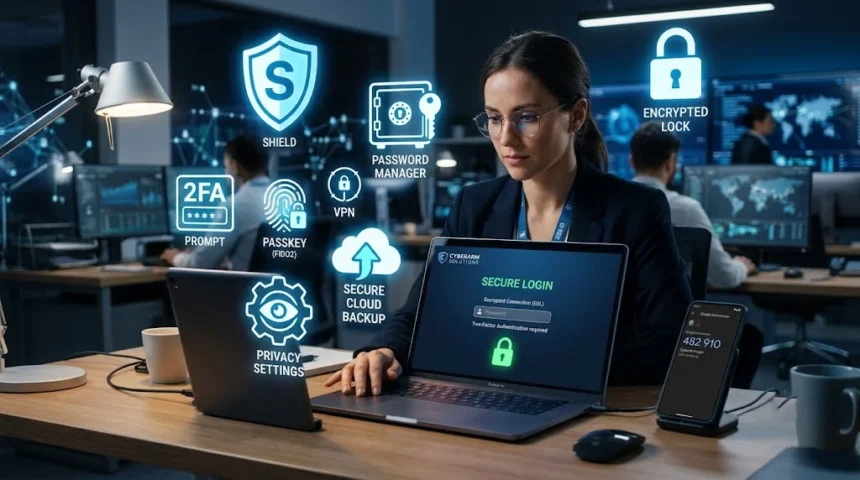
To keep personal data safe online in 2026, use a password manager with unique passwords, turn on two-factor authentication, limit what you share on social media, use a VPN on public Wi-Fi, and check your accounts regularly for breaches. Small habits, done consistently, block most attacks before they start.
Your personal data is worth more than ever right now. Companies want it for advertising. Criminals want it for scams. And AI tools have made both groups faster and smarter at getting it.
- Why Data Protection Matters More in 2026
- Start With Your Passwords
- Turn On Two-Factor Authentication Everywhere
- Watch What You Share Online
- Limit What Companies Collect From You
- Use a VPN and Secure Browser on Public Networks
- Learn to Spot AI-Powered Scams
- Check for Breaches and Update Your Software
- Back Up Your Data Regularly
- Building Privacy Into Your Daily Habits
The good news? You don’t need to be a tech expert to protect yourself. You just need a few smart habits, used every day. This guide walks you through exactly what to do, step by step, in plain language.
Why Data Protection Matters More in 2026
A few years ago, online safety mostly meant avoiding shady links and picking a decent password. That’s not enough anymore.
AI-generated phishing emails now look almost identical to real ones from your bank or workplace. Scammers can clone a loved one’s voice from a short clip and call you asking for money. Data breaches keep growing too. Supply chain breaches alone nearly doubled between 2024 and 2025, and now make up 30% of all breaches involving at least one third party.
Your information doesn’t stay put once it’s out there, either. It gets sold, combined, and used to build a detailed picture of your habits, location, and even your health. This picture can be used against you in ways you’d never expect, from targeted scams to inflated prices based on what a company thinks you’ll pay.
None of this means you should panic. It means you need a plan. Let’s build one.
Start With Your Passwords
Weak passwords are still one of the easiest ways criminals get into your accounts. If you’re reusing the same password across multiple sites, one breach can unlock your entire digital life.
A password manager fixes this instantly. It creates a unique, complicated password for every account and remembers them so you don’t have to. You only need to remember one master password to unlock the vault. Popular options include Bitwarden and Proton Pass, and both offer free versions that cover the basics well.
Passkeys are also becoming the new standard. Instead of typing a password, you unlock your account with your fingerprint, face, or device PIN. Passkey adoption is growing fast, with 48% of top websites now supporting passkeys as of 2026. If your email or bank offers this option, turn it on. It’s harder to steal than a password because there’s nothing to type or leak.
Turn On Two-Factor Authentication Everywhere
Even a strong password can be stolen through a phishing site or a breach. Two-factor authentication adds a second lock on the door. After you enter your password, you also need a code from an app, a text message, or a physical security key.
This one step blocks the vast majority of account takeover attempts. Prioritize your email account first, since it’s usually the key to resetting passwords on everything else you own. Then move on to your bank, your cloud storage, and your social media accounts.
Use an authenticator app instead of text messages when you can. Text codes can be intercepted through a scam called SIM swapping, where a criminal tricks your phone carrier into moving your number to their device.
Watch What You Share Online
Every post, bio, and photo adds another piece to the puzzle someone could use against you. A vacation photo can reveal you’re not home. A “get ready with me” video can show details of your street or workplace in the background without you noticing.
Before you post anything, take a second look at what’s visible. Street signs, house numbers, work badges, and school logos can all give away more than you meant to share. It’s easy to crop these out or cover them before you hit send.
Photos carry hidden location data too, called metadata, which can reveal exactly where a picture was taken. Most phones let you turn off location tagging in your camera settings, so check that setting today. Once something is posted, remember it rarely disappears completely, since screenshots and reposts can outlive the original.
Limit What Companies Collect From You
You can’t fight every data collector, but you can make it harder for them to build a full profile of you. This starts with only giving companies what they truly need.
When you sign up for a new app or service, skip the optional fields. A shopping app doesn’t need your birthday to sell you a shirt. Review app permissions on your phone too, since a flashlight app has no reason to access your contacts or microphone.
Separating your identities also helps a lot. Use a different email address for shopping, another for work, and another for personal accounts. This way, if one gets breached or sold to advertisers, the damage stays contained instead of spreading across your entire digital life. Email aliasing tools can create disposable addresses that forward to your real inbox, which keeps your main address out of data broker lists.
Use a VPN and Secure Browser on Public Networks
Public Wi-Fi at coffee shops, airports, and hotels is convenient, but it’s also an easy target for anyone nearby who wants to intercept your traffic. A VPN encrypts your connection, which means anyone watching the network only sees scrambled data instead of your passwords or messages.
Pair this with a privacy-focused browser that blocks trackers by default. These tools stop many of the cookies and scripts that follow you from site to site, building a profile of your browsing habits along the way. Always check that a site’s address starts with “https” before entering any personal information, since that “s” means your connection to that specific site is encrypted.
Learn to Spot AI-Powered Scams
Scammers have upgraded their tools, and you need to upgrade your awareness to match. Phishing emails no longer have obvious spelling mistakes or broken formatting. AI writes them cleanly now, and they can mimic the exact tone of your bank, boss, or a government agency.
Voice cloning is a newer threat worth knowing about. A scammer only needs a few seconds of audio, sometimes pulled from a social media video, to create a convincing fake call from someone you trust. If you get an urgent call or message asking for money or sensitive information, slow down before reacting.
A simple trick many families now use is a safe word. Agree on a private word or phrase with close family members that you’d only use to verify a real emergency. If someone claiming to be a relative calls asking for money and can’t give the safe word, treat it as a red flag. Verifying through a separate channel, like calling the person back on their known number, is always worth the extra minute.
Check for Breaches and Update Your Software
Even careful people get caught up in data breaches, since the exposure usually comes from a company you trusted, not something you did wrong. The key is catching it fast. Several free tools let you check whether your email address has appeared in a known breach, and it’s worth checking every few months.
If you learn your information was exposed, change the password for that account right away, along with any other account using the same password. Then keep an eye on your bank and credit card statements for anything unfamiliar over the following weeks.
Software updates matter more than most people realize. Attackers move quickly once a security flaw becomes public, and outdated software is one of the most common ways they get in. Turn on automatic updates for your phone, computer, browser, and home router, so you’re protected without having to think about it.
Back Up Your Data Regularly
Ransomware attacks lock you out of your own files until you pay a criminal, and there’s no guarantee you’ll get your data back even if you do. A solid backup routine takes this leverage away from attackers completely.
Set up automatic backups to a cloud service or an external drive you only connect when backing up. This way, if your device gets infected or physically lost, your photos, documents, and files stay safe elsewhere. Check every so often that your backups are actually running, since a backup you never test isn’t one you can count on.
Building Privacy Into Your Daily Habits
Real protection doesn’t come from one big fix. It comes from small, repeated habits that add up over time. Think of it the same way you think about locking your front door or wearing a seatbelt. You don’t do it because danger is guaranteed, you do it because the cost of skipping it is too high.
You don’t need to disappear from the internet or give up every convenience to stay safe. Focus on protecting what matters most first: your email, your bank accounts, and your family’s trust in each other during a crisis. Everything else builds from that foundation, one habit at a time.