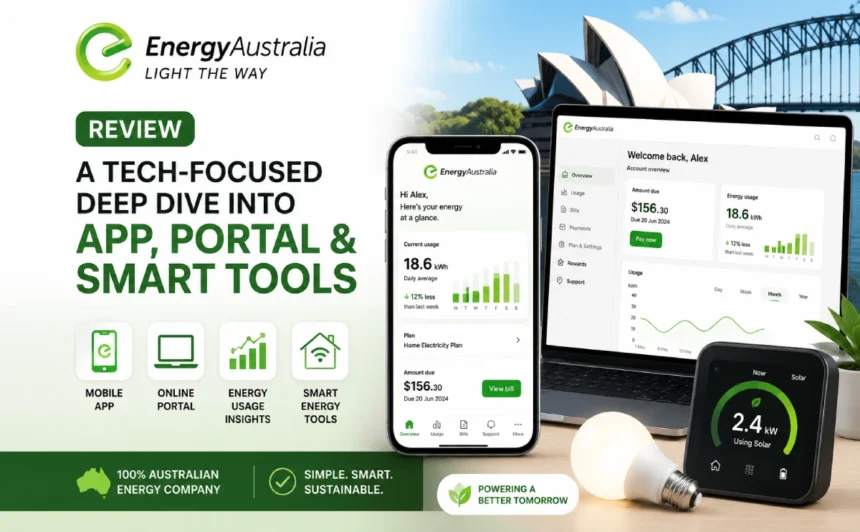
Switching energy providers isn’t just about rates anymore. In 2026, the app on your phone and the portal on your laptop matter almost as much as the tariff you’re signing up for. This EnergyAustralia review skips the pricing debate entirely and looks at the technology instead: the mobile app, the online portal, solar monitoring, smart home compatibility and the support tools that sit behind the scenes.
- EnergyAustralia App Review – Real-World Features, UX and Performance
- 1. Navigating the My Account App
- 2. Bill Management and Payment Tech
- 3. Outage Reporting and Smart Alerts
- EnergyAustralia Online Portal – The Desktop Power-User Experience
- Smart Home Integration and Emerging Tech
- Customer Support Technology – Chatbots, Virtual Assistant and Social Channels
- Data Privacy and Security Under the Tech Hood
- Quick Comparison – EnergyAustralia Digital Tools vs Origin & AGL
- FAQs
- Is the EnergyAustralia app free to use?
- Can I monitor my solar energy with the EnergyAustralia app?
- How do I download the EnergyAustralia app and set it up?
- Does EnergyAustralia offer a virtual power plant or battery control feature?
- What technology does EnergyAustralia use for outage alerts?
- Conclusion
If you’re comparing providers on digital experience rather than cents per kilowatt-hour, this is the EnergyAustralia review for you. We tested the app on iOS and Android, poked around the browser portal, checked how it handles smart meter data and solar exports, and lined it up against Origin and AGL to see who actually leads on tech in 2026.
EnergyAustralia App Review – Real-World Features, UX and Performance
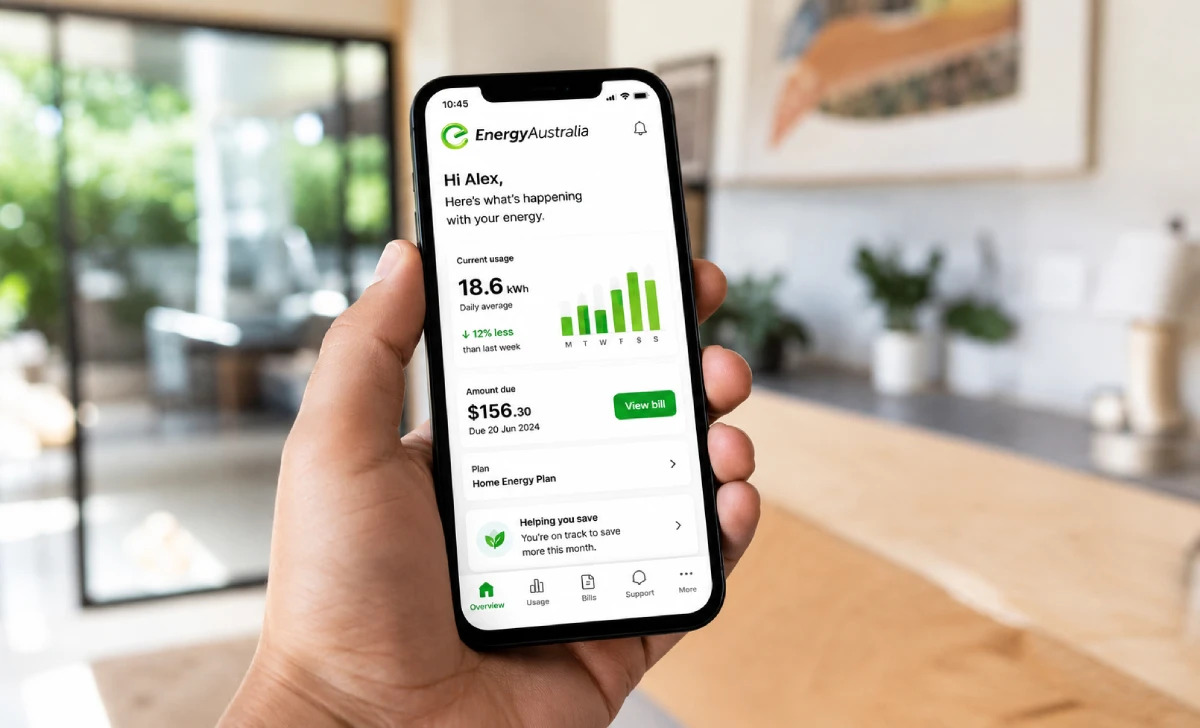
The EnergyAustralia app is the main touchpoint for most customers, and it works well enough for day-to-day account tasks without doing anything that feels ahead of the pack. It covers the essentials: bill viewing, payments, usage graphs and account updates, all without picking up the phone.
1. Navigating the My Account App
First login is quick if you already have MyAccount credentials, and the dashboard lands you straight on a summary screen showing your current bill and recent usage. Finding deeper usage history or plan details takes a couple of extra taps compared with some competitor apps, but nothing that trips up a new user for long.
2. Bill Management and Payment Tech
Digital billing is straightforward, with two years of bill history available for download and BPAY and saved card details on hand for quick payment. Regular Pay lets you smooth quarterly bills into weekly, fortnightly or monthly instalments, and a built-in payment extension request removes the need to call in when money is tight. One-tap payment works reliably, though the confirmation screens feel a touch dated next to newer fintech-style apps.
3. Outage Reporting and Smart Alerts
The app leans on push notifications for high and low usage alerts, and outage information is available, though it’s less of a live interactive map and more a status check tied to your account. Compared with some competitors’ real-time fault trackers, this is the app’s weaker corner. For anyone who wants a visual, real-time view of network faults, checking the outage information via the website alongside the app is worth doing.
EnergyAustralia Online Portal – The Desktop Power-User Experience
For households that would rather sit at a bigger screen and dig through the numbers, the browser-based MyAccount portal is the better tool. It mirrors most of the app’s functions but presents usage data with a bit more room to breathe.
Dashboard Analytics and Usage Insights
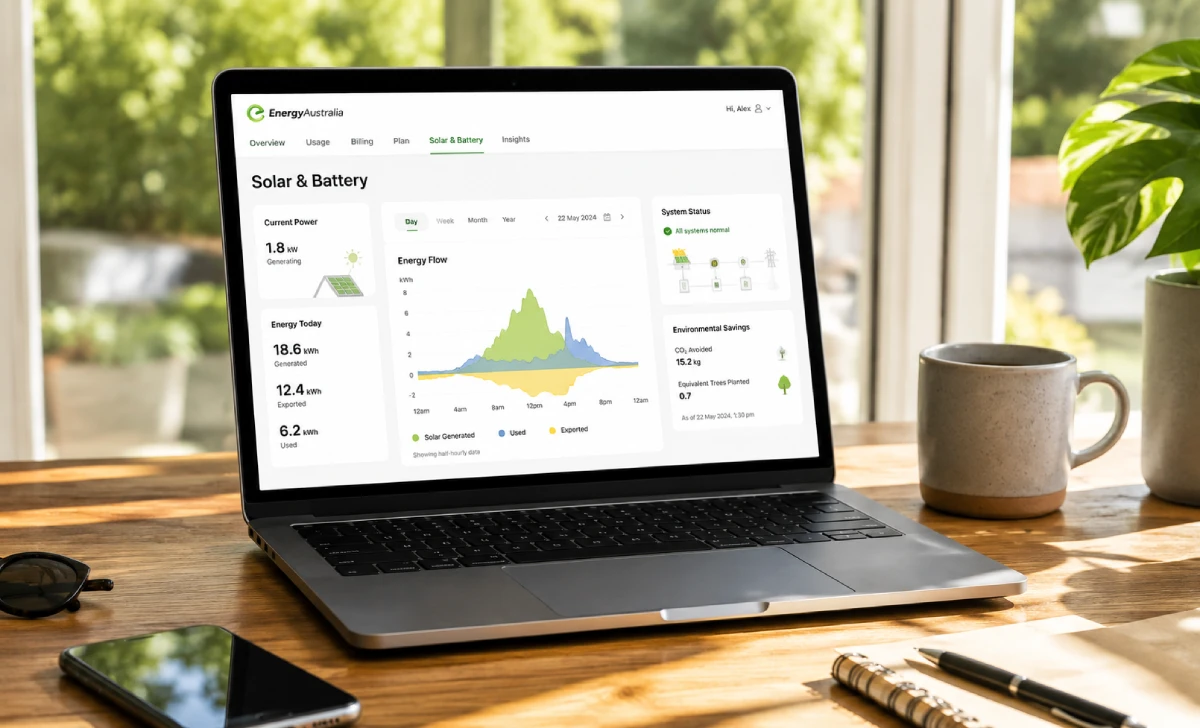
The portal breaks consumption down by day and, for smart meter customers, by hour, with the option to export data for anyone who likes to run their own spreadsheets. Solar households can track how much they’re exporting back to the grid alongside what they’re pulling from it, giving a clearer full picture than the mobile app’s condensed view.
Solar Monitoring and Feed-In Data
Solar generation and feed-in figures show up for smart meter customers, and historical export data is there if you want to check performance over a billing cycle rather than just a single day. It’s a solid layer of solar monitoring for tracking bill credits, though it isn’t built to double as a dedicated inverter monitoring tool — owners of SolarEdge, Enphase or similar systems will still want their manufacturer’s own app for panel-level detail and fault alerts. Think of EnergyAustralia’s portal as the billing-and-credits view, not the technical health check.
Smart Home Integration and Emerging Tech
This is the area where EnergyAustralia trails the biggest names in the market. Its digital tools handle billing and usage tracking well but stop short of turning into a genuine smart home hub.
Battery customers on the EnergyAustralia BatteryEase virtual power plant get visibility into participation credits and reserve levels, with EnergyAustralia stating it will keep at least 10% capacity in reserve during grid events. That’s a sensible safeguard, but the in-app charge and discharge visibility is fairly basic compared with the detailed, near-real-time dashboards some rivals offer their VPP members. There’s no open API for third-party smart home platforms to pull live battery data directly from EnergyAustralia at this stage.
There’s no native Alexa or Google Home skill, and no official IFTTT integration either. Anyone wanting voice control over their energy use will need to route it through their inverter or battery brand’s own ecosystem, then use EnergyAustralia purely for billing and account management. For a household chasing a fully automated setup, this means an extra app in the mix rather than one unified control point.
Customer Support Technology – Chatbots, Virtual Assistant and Social Channels
When something goes wrong, the question is whether the tech actually resolves it or just delays a phone call.
The web chatbot handles common, well-defined questions — bill due dates, payment options, moving house — reasonably well, and escalates to a human agent quickly once a query gets specific. It’s not going to talk you through a complex billing dispute, but for routine account questions it saves a call.
EnergyAustralia maintains active social channels, and response times for straightforward queries are generally reasonable during business hours. Complex account issues still tend to get pushed back to phone or app-based support, which is fairly standard across the industry rather than a specific weakness.
Data Privacy and Security Under the Tech Hood
Smart meter data collection, account access and app permissions are worth a quick check for anyone signing up. EnergyAustralia’s app requests standard account and usage data access, and payment functionality has had security enhancements in recent updates, per its app store release notes. As with any provider, it pays to review exactly what data your smart meter shares and to use a unique password on your MyAccount login rather than reusing one from elsewhere.
Quick Comparison – EnergyAustralia Digital Tools vs Origin & AGL
Here’s how the three sit next to each other on the tech features that matter most for everyday use.
| Feature | EnergyAustralia | Origin | AGL |
|---|---|---|---|
| App usability | Solid, functional | Detailed usage tracking to the hour | Highly rated, feature-rich |
| Solar/feed-in tracking | Yes, via portal and app for smart meter customers | Yes, tracks solar, power and gas usage and cost | Yes, includes solar production and export tracking |
| Battery/VPP visibility | Basic, via BatteryEase | Strong, Origin Loop app praised for tracking battery earnings | Solid, transparent reserve and event reporting |
| Outage communication | Account-based alerts, limited live map | Push notifications for bill and usage spikes | Push alerts, generally well regarded |
| Live agent chat in-app | Web chat with escalation | Available | AGL allows live chat with an agent without leaving the app |
| Voice assistant/automation | None native | None native | None native |
Across independent reviews, AGL and Origin’s apps tend to edge ahead of EnergyAustralia’s on day-to-day polish and battery or solar detail, while EnergyAustralia keeps pace on the basics — bills, payments and usage graphs — without major complaints about reliability.
- Wins: Clear, easy-to-navigate bill management; useful solar and feed-in data for smart meter customers; sensible battery reserve protections on BatteryEase.
- Loses: Weaker real-time outage mapping; no voice assistant or automation integrations; less detailed battery monitoring than Origin or AGL offer their VPP customers.
FAQs
Is the EnergyAustralia app free to use?
Yes. It’s free to download and use for all EnergyAustralia customers, covering account management, billing and usage tracking.
Can I monitor my solar energy with the EnergyAustralia app?
Yes, if you have a smart meter. The app and online portal show solar generation and feed-in data, though owners wanting panel-level detail may still prefer their inverter manufacturer’s own monitoring app.
How do I download the EnergyAustralia app and set it up?
It’s available on the App Store and Google Play. Download it, then log in with your existing MyAccount details or register a new account within the app.
Does EnergyAustralia offer a virtual power plant or battery control feature?
Yes, through the BatteryEase program. It shows battery participation and reserve status but doesn’t yet offer the more detailed, real-time battery dashboards some competitors provide.
What technology does EnergyAustralia use for outage alerts?
Primarily in-app push notifications tied to your account, alongside outage status information available through the website.
Conclusion
An EnergyAustralia review from a tech angle shows a digital setup that’s competent rather than class-leading. The app handles bills, payments and usage tracking smoothly, the portal gives solar owners genuinely useful data, and smart home integration is still catching up to where Origin and AGL sit. If a dependable digital experience without extra bells and whistles is what you’re after, EnergyAustralia gets the job done. Curious whether it fits your household? Download the app or sign up through our partner link and put the tech through its paces yourself.